


Compare/Antinote·Updated

Mote vs Antinote

Antinote is a $5 scratchpad for temporary notes. Mote floats above every app too, and keeps every note as a markdown file you can take anywhere.

Free for 3 days. No account, no card.

A recording of Mote: writing a note, an agent editing it, and changing the look

What is Antinote?

Antinote is a scratchpad app for the Mac, made for temporary notes. It pins above other windows, stores notes in a local database, and can auto-delete the ones you haven’t touched. It has inline math, timers, and image-to-text, and handles basic markdown formatting. It costs $5 once, and is also on Setapp.

Mote or Antinote: which should you choose?

Choose Antinote if…

  • Five dollars is the budget, and a scratchpad is all you need
  • You like notes that clean themselves up after a day or a week
  • You have Setapp, where Antinote is already included
  • You’re staying on macOS 14 Sonoma

Choose Mote if…

  • You want real markdown, saved as a .md file you own, not a row in an app database
  • You use Obsidian: search your vault and file notes into it with ⌘⇧E
  • You take notes on calls: Mote transcribes the meeting on your Mac, with no bot joining
  • You want an AI agent in the panel without wiring up an API key
“As someone addicted to workflow optimization who has tried them all (I mean, all), [mote] nailed it. Really. The render-in-place flow is very smooth, and that's not easy in Swift. So well done.”
aka kika@akakikaaaPrivate message
“The Obsidian integration is genius, especially the ability to search your vault. Honestly impressive the responsiveness. No bugs I'm noticing.”
Noah@noahliskPrivate message

Mote vs Antinote: features compared.

Checked against Antinote’s own pages on Nov 10, 2026.

Mote compared with Antinote
MoteAntinote
Price$18.99 once (first 100 copies), then $24.99$5 once, lifetime updates (also on Setapp)
Floating windowPins above other windows
MarkdownLive markdown, saved as .mdHeadings, bold, italic; “not a markdown editor”
Where notes livePlain .md files on your MacLocal SQLite database; export to .txt, .md, or PDF
Notes expireNever; only blank notes get tidied awayUntouched notes auto-delete (Today to Never, your choice)
ObsidianSearch the vault, open daily notes, file notes with ⌘⇧ECreates a note in a vault (URL scheme)
Meeting transcriptionOn your Mac, with You/Them labels
YouTube notesAuto-pause and timestamp links
MathMath mode: currency, %, variablesInline math as you type
TimersFocus timer with breaks; can log sessions to your daily noteStopwatch, countdown, Pomodoro
Image to text
SyncYour own iCloud; free iPhone app, in betaOptional iCloud sync; iPhone app in beta
AIAgent mode: Claude Code, Codex, or OpenCode reads and edits your notesNone built in on Mac; extensions with your own API key
RequiresmacOS 15 or latermacOS 14 or later
No account, no card. $18.99 once after that.

How Mote differs from Antinote.

Temporary notes, or files you keep

Antinote can auto-delete notes you haven’t touched, on a schedule you pick from Today to Never, and it stores them in a local database. Mote keeps each note as a plain markdown file in ~/.mote/notes. Nothing expires, and the file opens in any editor.
Markdown, not just emphasis

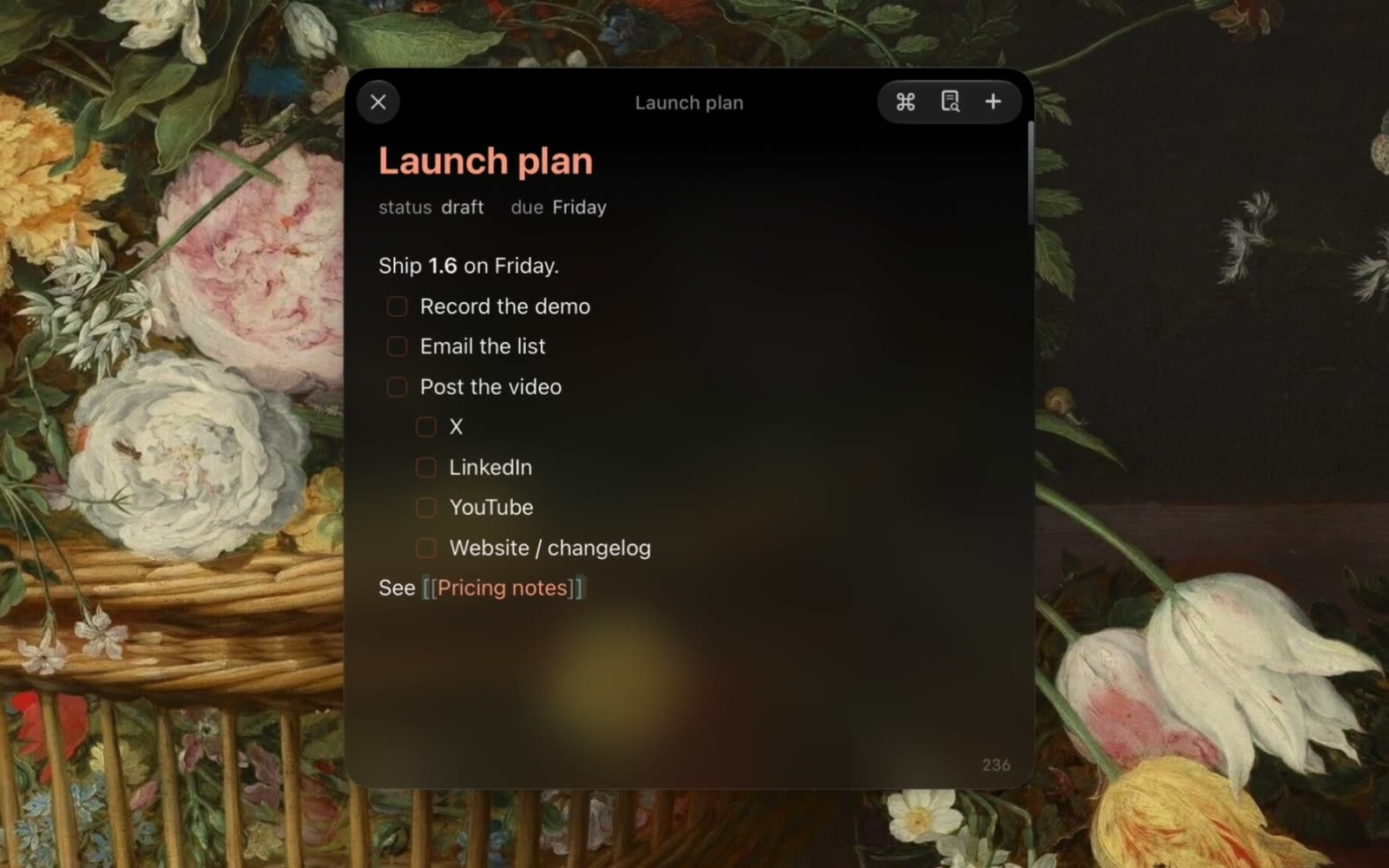
Antinote’s own manual puts it plainly: “Antinote is not a markdown editor.” It handles headings, bold, italic, strikethrough, and underline for basic emphasis. Mote renders markdown live as you type, with lists, checkboxes, tables, and code blocks, and saves it as .md.

Sends to Obsidian, or works inside it

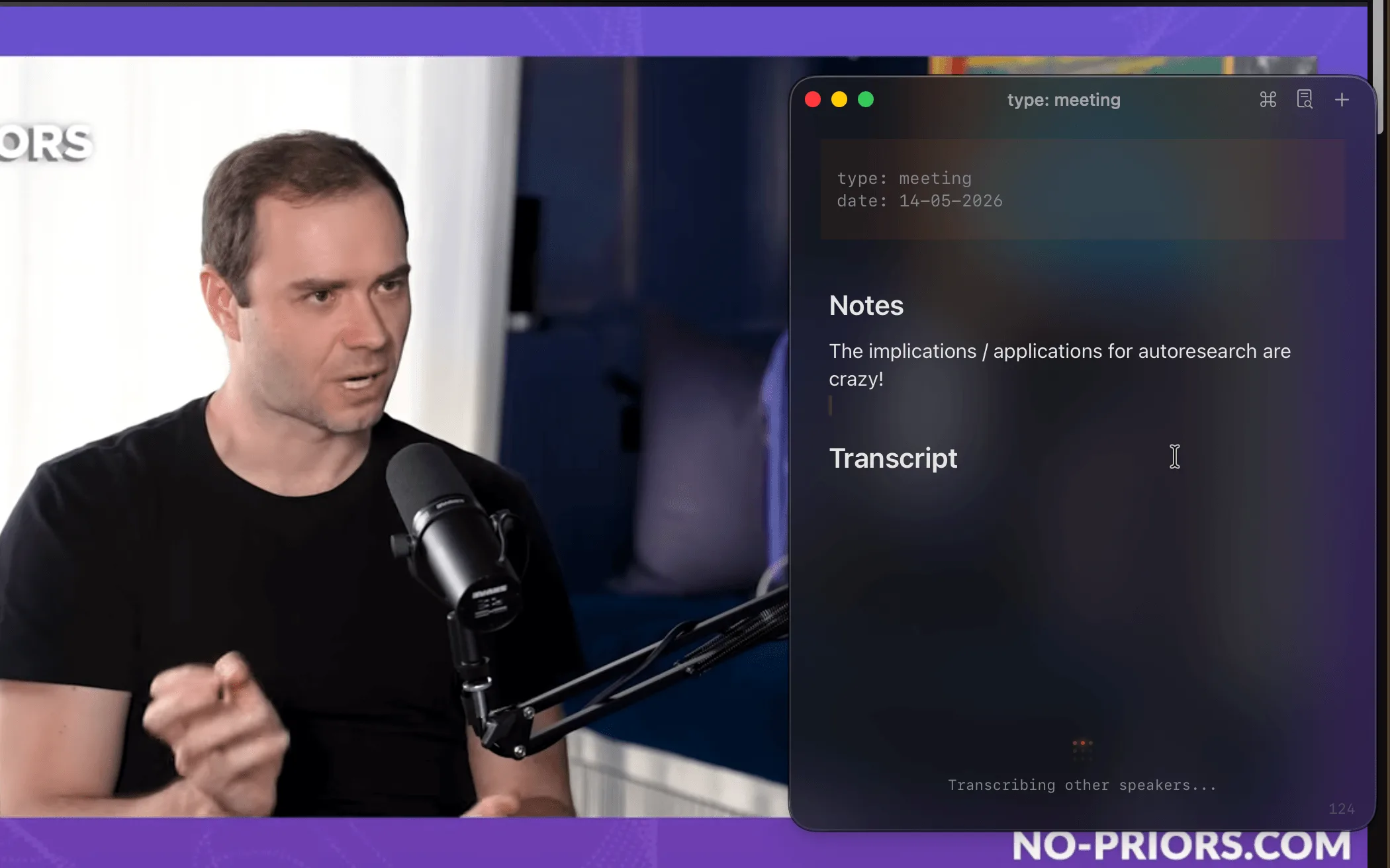
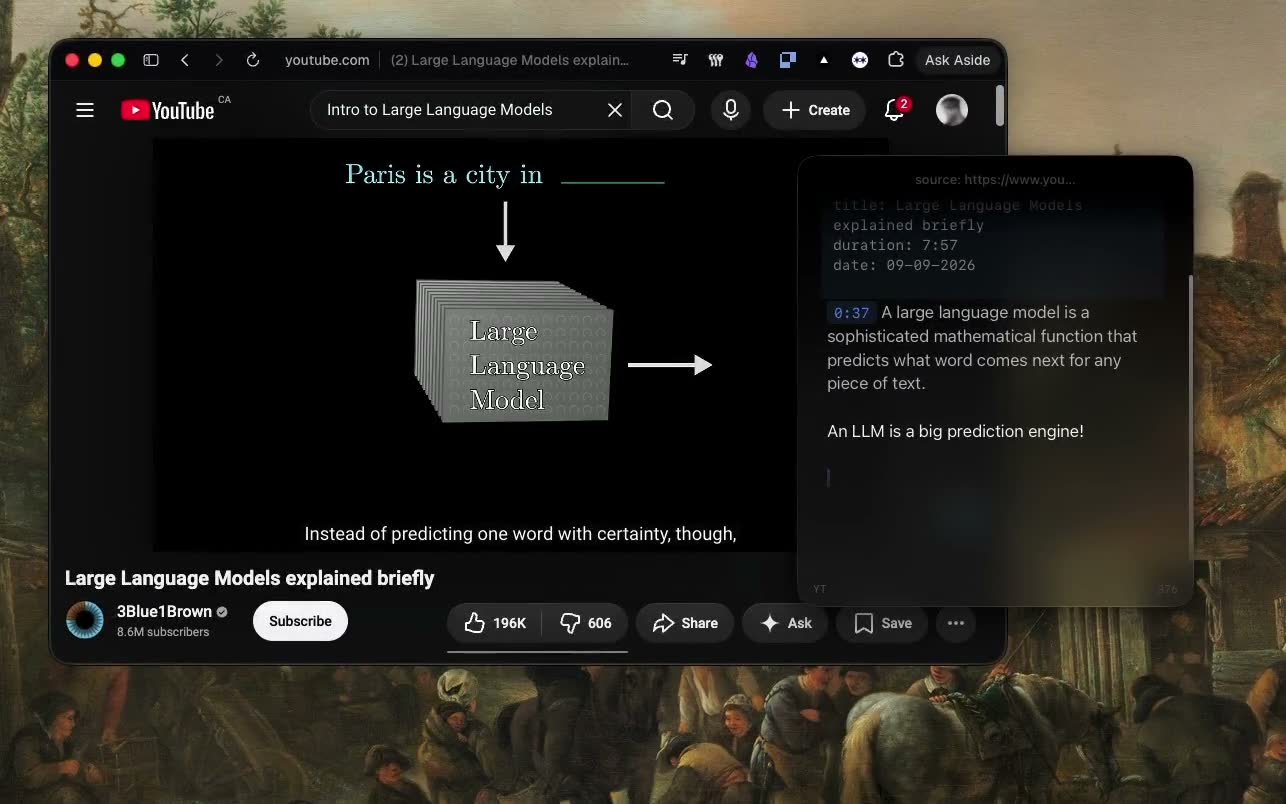
Antinote can create a note in your Obsidian vault through a URL scheme. Mote works inside the vault: search it, open your daily note, and file a note with ⌘⇧E. It also transcribes meetings on your Mac and pauses YouTube while you type.

An agent built in, or bring your own key.

Antinote has no AI built in on the Mac; its extensions can call a model with your own API key. Mote’s Agent mode puts Claude Code, Codex, or OpenCode in the panel, using the install you already have.

Ask the agent to clean up a scratch note, turn it into a checklist, or start a new note from what’s on your screen. It works on the markdown file itself, and every edit can be undone.

  • Reads, creates, and edits your notes, with undo
  • Runs commands in a terminal pane and reads back the output
  • Uses your Claude skills, and takes a screen area as an attachment
  • Quick Chat: a throwaway question from any app
  • In a meeting, the chat already knows the live transcript

Moving your notes from Antinote

Mote reads plain markdown, so there’s nothing to convert.

  1. 1In Antinote, export your notes as markdown (.md).
  2. 2Move the files into ~/.mote/notes.
  3. 3Press ⌘O in Mote. Your notes are in the picker, ready to edit.

Antinote and Mote: common questions

Something else? Ask in the Discord

Try Mote free for 3 days.

The full app, no account or card. If it earns its place on your Mac, it’s $18.99 once.

Also compare: Mote vs Raycast Notes · Mote vs Apple Notes · Mote vs SideNotes · Mote vs Tot

Written by , who makes Mote.

Sources: Antinote · Antinote features · Simple Markdown · Notes management · App management · Export · iOS beta · Setapp. Checked Nov 10, 2026.