


Compare/Tot·Updated

Mote vs Tot

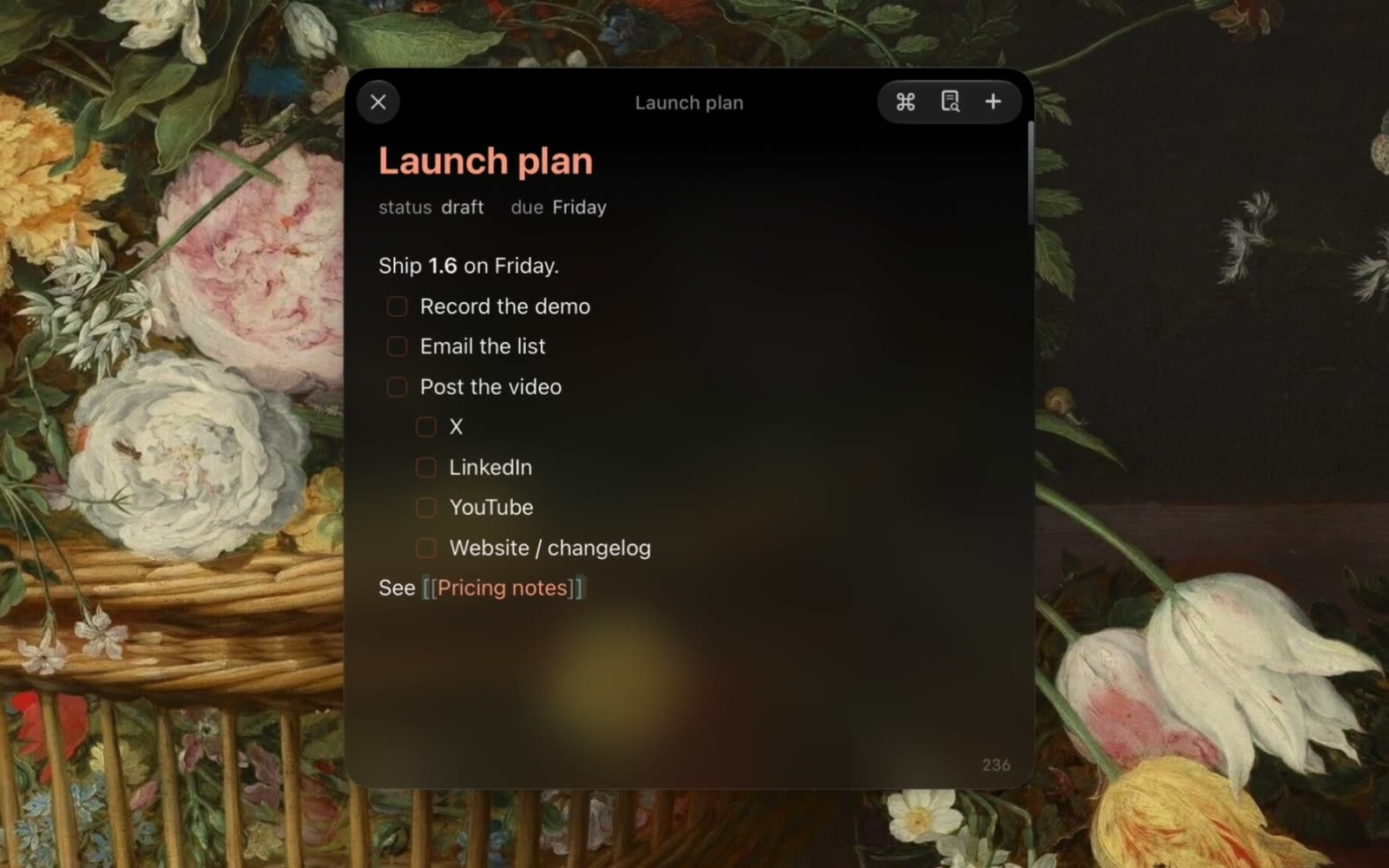
Tot holds seven notes, by design, and syncs them through iCloud. Mote floats above every app, keeps as many notes as you need as markdown files, and costs $18.99 once.

Free for 3 days. No account, no card.

A recording of Mote: writing a note, an agent editing it, and changing the look

What is Tot?

Tot is a small text editor from The Iconfactory for Mac, iPhone, iPad, and Apple Watch. It holds exactly seven notes, one for each colour-coded dot, in rich or plain text, and syncs them through iCloud. It is free on the Mac, with a $19.99 unlock for extras. On iPhone and iPad the free version edits one dot, and a separate $19.99 unlocks all seven.

Mote or Tot: which should you choose?

Choose Tot if…

  • Seven notes is the point: a limit that keeps clutter out
  • You want your notes on Apple Watch and iPad too
  • You use Apple Shortcuts to read and write your notes, or want them in widgets
  • You’re staying on macOS 14 Sonoma

Choose Mote if…

  • You’ve run out of dots and want more than seven notes
  • You want each note as a .md file you can open in another app
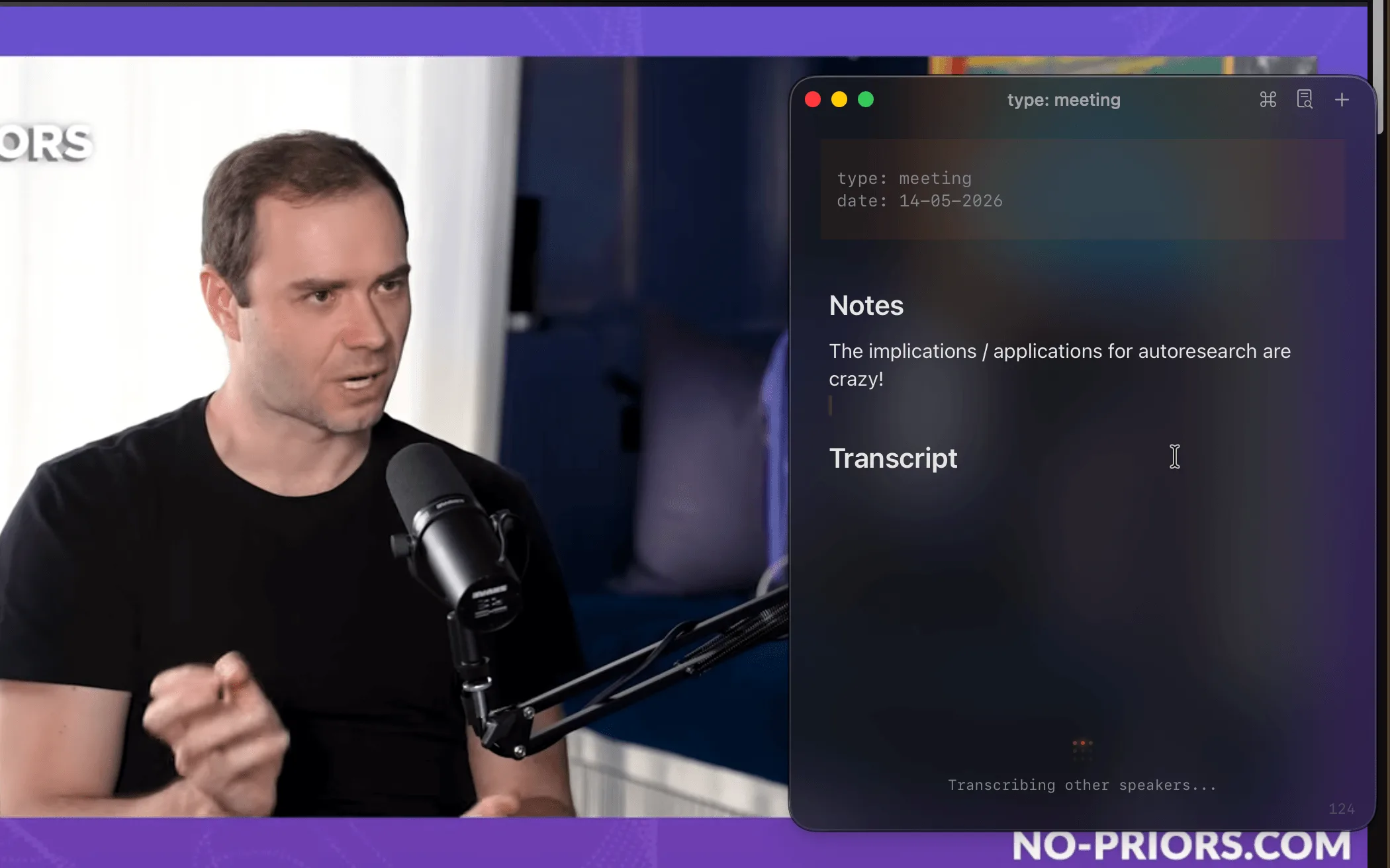
  • You want a note per meeting or lecture, with the transcript in it
  • You want an agent that can find and edit notes for you
“As someone addicted to workflow optimization who has tried them all (I mean, all), [mote] nailed it. Really. The render-in-place flow is very smooth, and that's not easy in Swift. So well done.”
aka kika@akakikaaaPrivate message
“It's one of those products you really don't think you need, but once you have it, you can't live without it. Meeting notes, notes, terminal, all in one place. It's genuinely a life-changer.”
Max@selzer25On X

Mote vs Tot: features compared.

Checked against The Iconfactory’s own pages on Nov 10, 2026.

Mote compared with Tot
MoteTot
Price$18.99 once (first 100 copies), then $24.99Free on Mac; $19.99 once unlocks extras
iPhone appFree, in beta on TestFlightFree with one dot; $19.99 unlocks all seven. Watch app $1.99
NotesUnlimitedSeven, by design
Floating windowOptional floating window
MarkdownLive markdown, saved as .mdRich or plain text; converts text to Markdown
Where notes livePlain .md files on your MacIn iCloud, with hourly JSON backups
ExportNothing to export: notes are already filesShare or save a note’s text; back up everything as JSON
SyncYour own iCloud; free iPhone app, in betaiCloud: Mac, iPhone, iPad, and Apple Watch
ObsidianSearch the vault, open daily notes, file notes with ⌘⇧E
Meeting transcriptionOn your Mac, with You/Them labels
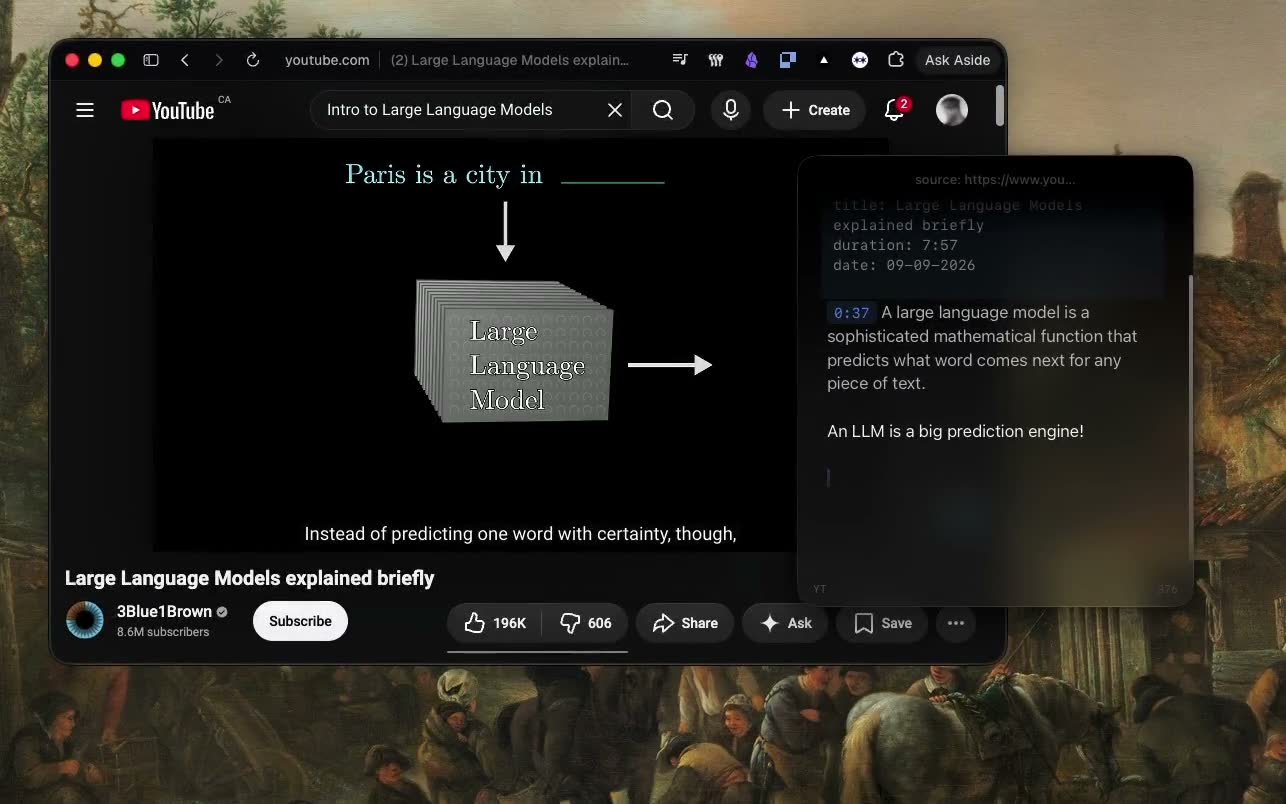
YouTube notesAuto-pause and timestamp links
AIAgent mode: Claude Code, Codex, or OpenCode reads and edits your notes
RequiresmacOS 15 or latermacOS 14 or later
No account, no card. $18.99 once after that.

How Mote differs from Tot.

Seven notes, or as many as you need

Tot gives you seven colour-coded dots and no way to add an eighth. The Iconfactory calls that a feature that helps control clutter, and for a scratchpad it is. Mote has no limit: start a note for each meeting, project, or idea, and find any of them from the picker.
Files you can open anywhere

Tot keeps your text in iCloud, with hourly backups as JSON; to use a note somewhere else, you share or export its text. Mote writes each note as a plain markdown file in ~/.mote/notes as you type. Each one opens in any editor, and you can back the folder up however you like.

A text editor, or a workspace

Tot is a small, careful text editor: rich or plain text, with word and character counts. Mote renders markdown as you type and adds the work around the note: your Obsidian vault, meetings transcribed on your Mac with You/Them labels, and YouTube that pauses while you type.

An agent in the panel.

The Iconfactory doesn’t list AI features for Tot. Mote’s Agent mode puts Claude Code, Codex, or OpenCode in the panel, using the install you already have.

With more than seven notes, finding things matters. Ask the agent which note has the decision from Tuesday’s call, or have it merge three scratch notes into one. It reads the transcript while a meeting is still running, and every edit can be undone.

  • Reads, creates, and edits your notes, with undo
  • Runs commands in a terminal pane and reads back the output
  • Uses your Claude skills, and takes a screen area as an attachment
  • Quick Chat: a throwaway question from any app
  • In a meeting, the chat already knows the live transcript

Moving your notes from Tot

With seven notes, copy and paste is the quick way.

  1. 1In Tot, pick a dot, select all, and copy.
  2. 2Paste it into a new note in Mote.
  3. 3Repeat for the other dots. Each one is now a .md file in ~/.mote/notes.

Tot and Mote: common questions

Something else? Ask in the Discord

Try Mote free for 3 days.

The full app, no account or card. If it earns its place on your Mac, it’s $18.99 once.